Choosing access control credentials affects how people enter, how administrators issue access, how doors operate during outages and how much support the product requires after installation.
RFID cards, NFC, Bluetooth Low Energy and biometrics can all provide reliable access. But they solve different problems. A card may suit a factory with thousands of employees. A mobile credential may suit a residential product that needs remote access sharing. Biometrics may make sense where confirming the user’s identity matters more than convenience.
The right choice depends on the people using the product, the building environment and the way access will be managed.
Credential Comparison
|
Area |
RFID card |
NFC |
BLE |
Biometric |
|
User action |
Present a card or fob |
Tap a phone, wearable or card |
Unlock through an app or proximity action |
Present a fingerprint or face |
|
Reader |
RFID reader |
NFC reader |
Bluetooth-enabled reader |
Biometric sensor |
|
Mobile support |
Limited |
Strong on supported platforms |
Strong through mobile apps |
Possible through phones or dedicated readers |
|
Offline use |
Strong |
Strong with local validation |
Possible with local validation |
Strong with local matching |
|
Replacement |
Issue another card |
Issue another digital credential |
Revoke and issue a new mobile credential |
Enrol the user again |
|
Main advantage |
Familiar and widely supported |
Fast and deliberate tap interaction |
Flexible mobile access |
Difficult to share |
|
Main drawback |
Cards can be lost or passed to someone else |
Device and platform support varies |
Phone settings and battery affect access |
Privacy and matching failures require careful handling |
|
Common use |
Offices, apartments, campuses and factories |
Workplaces, hotels and mobile passes |
Smart locks, residential access and flexible offices |
Restricted areas and higher-security access |
These categories also cover products with very different security levels. An old proximity card and a modern cryptographic smart card may both use RFID, but they should not be treated as equivalent.
The same applies to mobile credentials. The radio technology does not define the security of the entire access product.
What Is an Access Credential?
An access credential is what a person presents when requesting entry. It may be a card, a phone, a wearable, a fingerprint or a face.
The system then checks the credential against the user’s permissions. It may also consider the door, time, date, access schedule and account status.
Some products rely on one credential. Others combine methods, such as a card and PIN or a mobile credential and fingerprint.
The decision should begin with the access experience. Product teams need to know who will use the system, what devices they carry, how often they enter and what should happen when the network or primary credential fails.
RFID Access Control
RFID access control remains common because the interaction is simple. The user presents a card, badge or fob to the reader and receives an immediate result.
Most people have used this type of access before. It works well in offices, apartment buildings, factories, schools and campuses where the same users enter several times each day.
RFID also works for people who do not have a suitable smartphone or do not want to install an app. In industrial settings, phones may be restricted or inconvenient to use.
Contactless card systems often follow standards such as ISO/IEC 14443, which covers communication between proximity cards and readers.
User Experience
RFID requires users to carry a physical item. That may be easier than managing a mobile app, but cards are regularly lost, forgotten or shared.
For an employee, replacing a lost card may be a minor inconvenience. For the access provider, it creates an administrative process. The old card must be cancelled, the new one issued and permissions transferred.
Card sharing can also weaken accountability. An access log may show which credential entered, but not who carried it.
Reader and Card Requirements
The reader must support the selected card technology and credential format. Compatibility often shapes the decision because many customers already have cards in use.
Replacing thousands of credentials can cost more than replacing readers. A new access product may therefore need to support an existing card estate, even when a newer credential would offer better security.
Product teams should also distinguish between cards that expose a readable identifier and cards that support stronger authentication. Referring to both as RFID can hide a large difference in risk.
Offline Use
RFID works well where local operation matters. A reader or controller can store permissions and make access decisions without contacting the cloud each time.
The main issue is how the product handles updates while offline. A revoked card may remain valid until the controller reconnects. Event records may also stay on the device until they can be uploaded.
The product therefore needs clear rules for offline validity, revocation delays and synchronisation.
Where RFID Fits
RFID is a practical choice when users need physical credentials, the site already has cards in circulation or smartphone use cannot be assumed.
It also suits doors that need to keep working during long network outages.
Close up of Man Holding Access Card over Reader · Free Stock Photo
NFC Access Control
NFC access control uses a short-range tap. The credential may sit on a phone, wearable or contactless card.
The user brings the credential close to the reader. This makes the action clear and reduces uncertainty about which door they are trying to open.
The behaviour already feels familiar because NFC is widely used for payments and transport.
User Experience
NFC usually requires less interaction than an app-based unlock. The user does not need to open a door list or select a nearby reader. They approach the door and tap.
That makes NFC suitable for entrances where speed and predictability matter.
A product may also support NFC cards and mobile credentials through the same access experience. This can help companies move towards mobile access without removing cards in one step.
Device and Platform Support
The reader must support NFC, but the phone also needs to support the chosen credential model.
NFC hardware alone does not mean every phone will work with every access system. Support can depend on the operating system, device, wallet and credential platform.
This matters when the product will be used across different customer devices. A mobile credential that works on a limited group of phones may require a card fallback.
Phone replacement and account recovery also need attention. Users expect to regain access without a lengthy support process, but recovery cannot make credential theft easier.
Offline Use
NFC can work offline when the reader or controller has the information needed to validate the credential locally.
The product must decide how long a mobile credential remains valid without synchronisation. A long validity period can delay revocation. A short period can lock out valid users during an outage.
The right balance depends on the risk level of the site and the reliability expected by users.
Where NFC Fits
NFC suits products that need a quick tap experience, support for phones or wearables and a path from physical cards to mobile access.
It also works well when users should choose the door deliberately rather than rely on proximity.

Woman holding Android smartphone photo – Free Technology Image on Unsplash
BLE Access Control
BLE access control uses Bluetooth Low Energy between a reader and a nearby phone or device.
Unlike NFC, BLE can work over a wider range. The user may press an unlock button, select a nearby door or use a controlled proximity action.
This gives the product team more freedom over the access experience. It also makes the mobile app part of the access system.
User Experience
BLE can be convenient when access is already connected to an app. A resident may receive a temporary credential remotely. A visitor may get access for a set period. An employee may manage several locations from one account.
The experience depends on the phone, though.
Bluetooth can be disabled. The operating system may restrict background activity. App permissions may change. The phone may have no battery. The user may sign out or replace the device.
These problems appear in normal use, so the product needs a fallback that does not weaken access security.
Product Requirements
A BLE product needs Bluetooth-enabled readers, a mobile app or credential platform and a process for managing users and devices.
The app also requires maintenance. Changes to iOS or Android can affect permissions, background behaviour and device communication.
Bluetooth provides tools for authentication, encryption and key management, but those tools do not secure the product by themselves. The reader, phone, backend and credential process must work together.
Support teams also need enough information to diagnose failures. A user saying “the door does not open” could be dealing with Bluetooth settings, an expired credential, a stale app session, reader connectivity or a hardware problem.
Offline Use
BLE can work without a live cloud connection when the phone and reader already hold the data needed to approve access.
This allows the door to keep working during an internet outage. The product still needs rules for expired credentials, revoked users, unsynchronised devices and phone replacement.
A BLE product that requires constant connectivity may feel unreliable even when the reader hardware works correctly.
Where BLE Fits
BLE suits connected locks, residential access, flexible workplaces and systems that need remote credential delivery.
It is useful when temporary permissions, mobile account management and access across several sites form part of the product.
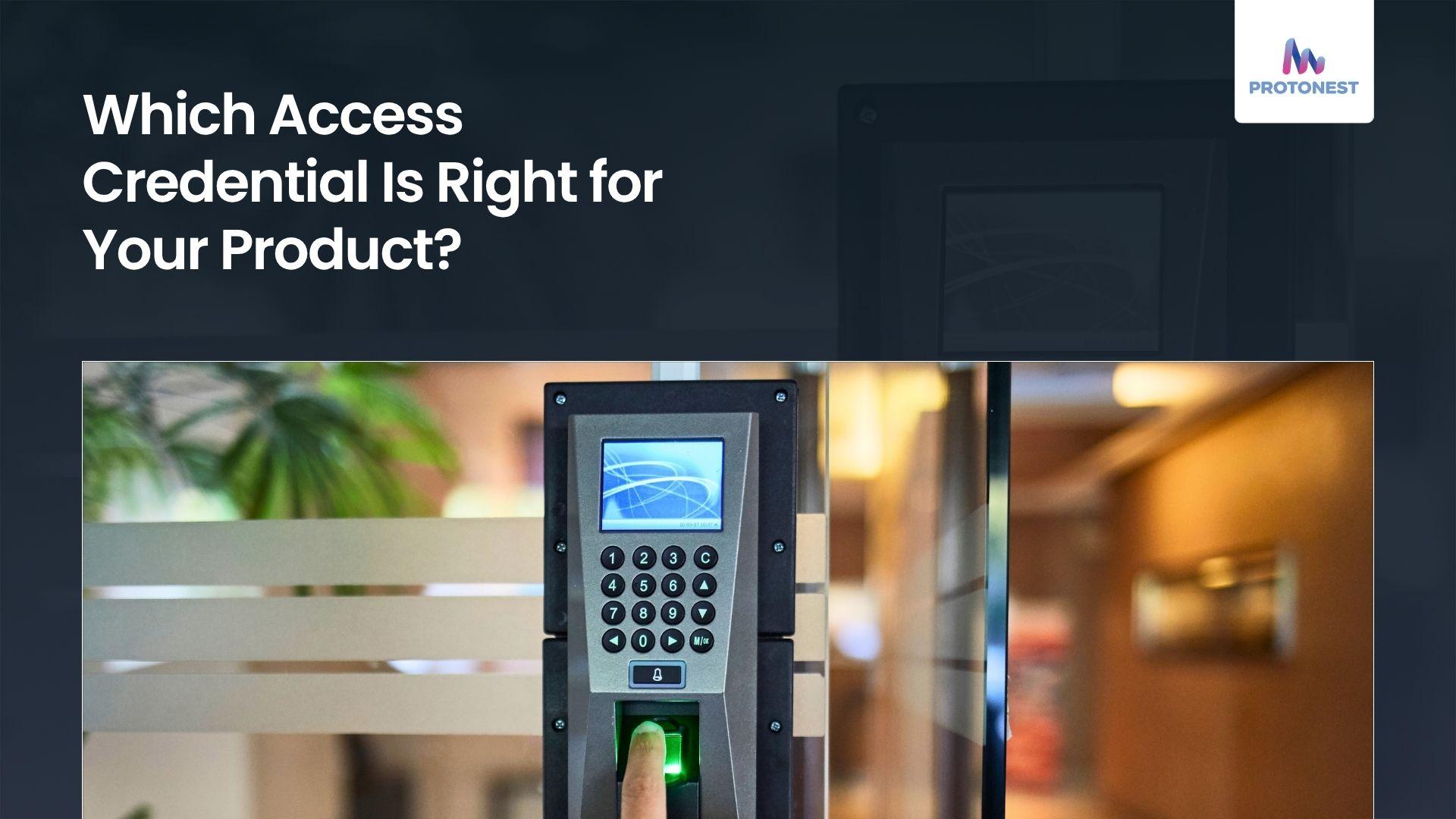
Biometric Access Control
Biometric access control uses a physical characteristic, usually a fingerprint or face, to check a person’s identity.
A biometric cannot be handed to another user like a card. That makes it useful where the access record needs to relate closely to the person who entered.
The trade-off is greater responsibility around privacy, enrolment and matching reliability.
User Experience
Biometric access removes the need to carry a card or phone. The user presents a fingerprint or face and waits for the reader to match it.
The interaction can be fast, but performance depends on the environment. Gloves, dirt, moisture, lighting, camera position and injuries can affect recognition.
False rejection is a practical problem. A system may block an authorised user even when no security breach has occurred.
The product therefore needs another method for people who cannot use the biometric reader or are rejected repeatedly.
Biometric Data
A biometric product needs a sensor, a matching process and a secure way to store templates.
Biometric data requires different treatment from a card number. A card can be cancelled and replaced. A person cannot replace a fingerprint or face after a data breach.
“Matching a biometric stored on a local device with the user can lower the privacy risk in comparison with matching against a centrally stored database of biometrics.”
National Institute of Standards and Technology
Local matching can limit the amount of biometric data sent to a central system. It does not remove the need for access controls, deletion rules and consent.
Product teams also need to check the privacy laws that apply in each market where the system will be sold.
Offline Use
Biometric readers can work offline when templates and permissions are stored locally.
The reader still needs a way to receive user updates, delete former users and synchronise event records.
Offline matching may improve resilience, but it also places sensitive data on the device. Physical protection and secure removal therefore matter.
Where Biometrics Fit
Biometrics suit restricted spaces and products where confirming the person matters more than allowing a transferable credential.
They can also serve as a second factor alongside a card or mobile credential.

Finger scan · Free Stock Photo
Security Questions to Compare
Security depends on the credential, reader, backend and administration process.
A strong credential can still fail if former employees keep active accounts. A well-designed reader cannot help when administrators cannot revoke access quickly.
“Biometric comparison can be performed locally on claimant’s device or at a central verifier.”
National Institute of Standards and Technology
Where validation happens affects privacy, outage behaviour and the effect of a breach.
|
Question |
What it reveals |
|
Can the credential be copied or shared? |
The risk of someone else using it |
|
How quickly can it be revoked? |
How long a lost credential may stay active |
|
Can access be checked offline? |
What happens during a network outage |
|
How is the user verified during enrollment? |
The risk of issuing access to the wrong person |
|
Where are keys or templates stored? |
The possible impact of a breach |
|
Can administrators inspect access events? |
How well incidents can be investigated |
|
What happens when the main method fails? |
The risk of lockouts or weak bypasses |
|
How are old credentials removed? |
The risk created by forgotten access |
Higher-risk areas may use two methods, such as a card and PIN or mobile access with biometric verification.
This can reduce credential sharing, but it also adds cost and support work.
Credential Management
The reader is only one part of the product. Most of the ongoing work comes from managing users and credentials.
Every method needs a process for enrolment, permission changes, suspension, revocation, replacement and removal.
RFID adds physical card handling. NFC and BLE move more of the process into apps, accounts and mobile devices. Biometrics add template storage, consent and deletion.
The easiest method for the person at the door may create more work for administrators. Product teams should compare both sides of the experience.
Choosing the Right Option
The decision can be narrowed by answering a few practical questions.
- Do all users have compatible phones?
- Must the door work for long periods without internet?
- Does the customer already use cards?
- Does access need to be issued remotely?
- How quickly must revocation reach the door?
- Is identity confirmation required?
- What happens when the primary method fails?
- Who manages access after installation?
- Many products will use more than one credential.
An office may use RFID cards for employees and mobile credentials for visitors. A residential system may use BLE with a card or keypad fallback. A restricted room may combine a card with biometric verification.
Final Comparison
Choose RFID access control when users need physical credentials, the customer has an existing card estate or long offline operation matters.
Choose NFC access control when the product needs a fast tap experience across phones, wearables or cards.
Choose BLE access control when remote credential delivery, app-based access and temporary permissions form part of the product.
Choose biometric access control when confirming the person matters enough to justify the privacy, enrolment and usability requirements.
The best access control credentials fit the users, building and management process. Selecting them early can prevent later changes to the reader, mobile app and credential system.
References
Bluetooth SIG, Bluetooth LE Security Study Guide
Bluetooth SIG, Bluetooth Core Specification: Security Manager Specification
ISO, ISO/IEC 14443: Contactless Proximity Objects
National Institute of Standards and Technology, Biometrics Glossary
National Institute of Standards and Technology, Privacy in the Age of Biometrics
This article was created with AI assistance under human direction.